
Kia Picanto (JA): Automatic climate control system / Automatic heating and air conditioning
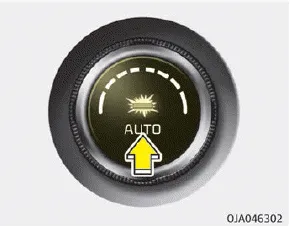
1. Push the AUTO button. The modes, fan speeds, air intake and air-conditioning will be controlled automatically according to the temperature setting.
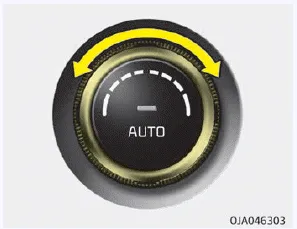
2. Set the temperature control knob to set the desired temperature.
NOTICE
- To turn the automatic operation
off, select any button or switch
of the following:
- Mode selection button
- Air conditioning button
- Front windshield defroster button (Press the button one more time to deselect the front windshield defroster function. The AUTO sign will illuminate on the information display once again.)
- Air intake control button
- Fan speed control knob The selected function will be controlled manually while other functions operate automatically. - For your convenience and to improve the effectiveness of the climate control, use the AUTO button and set the temperature to 23°C (73°F).
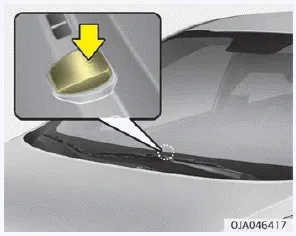
NOTICE
Never place anything over the sensor located on the instrument panel to ensure better control of the heating and cooling system.
1. Temperature control knob 2. AUTO (automatic control) button 3. Climate control display 4. Fan speed control knob 5. OFF button 6. Front windshield defroster button 7.
The heating and cooling system can be controlled manually by pushing buttons other than the AUTO button. In this case, the system works sequentially according to the order of buttons selected.
Other information:
Kia Picanto (JA) 2017-2026 Service & Repair Manual: Back View Camera System
Components and components location Component Location 1. Back view camera 2. AVN head unit 3. steering angle sensor Description and operation Description 1. To display back of the vehicle to assist the driver, it receives vehicle rearside image signal from the rearview camera and displays it on AVN head unit monitor
Kia Picanto (JA) 2017-2026 Service & Repair Manual: Smart Key
Repair procedures Smart Key Smart Key Code Saving 1. Connect the DLC cable of KDS/GDS to the data link connector (16 pins) in driver side crash pad lower panel, turn the power on KDS/GDS. 2. Select the vehicle model and then do "Smart key code saving".
Categories
- Manuals Home
- Kia Picanto Owners Manual
- Kia Picanto Service Manual
- Coolant
- Features of your vehicle
- Suspension System
- New on site
- Most important about car
