
Kia Picanto (JA): Front Bumper / Front Bumper Assembly
Components and components location
| Component Location |
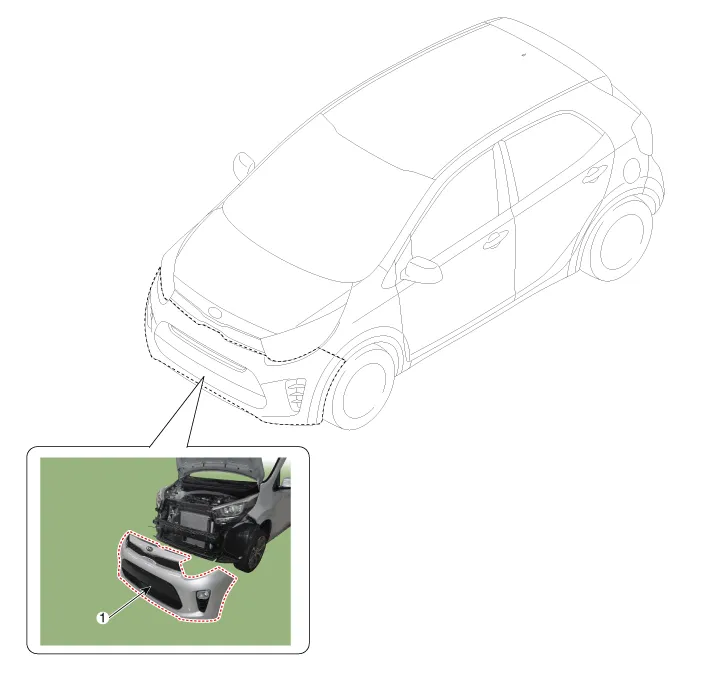
| 1. Front bumper cover |
Repair procedures
| Replacement |
Put on gloves to protect your hands. |

|

| 1. | Loosen the radiator upper cover mounting bolts and clips.
|

| 2. | Remove the engine under cover (A).
|

| 3. | Remove the front wheel guard monting clips (A).
|

| 4. | Separate the front bumper side after loosening the front bumper side screws and clips.
|

| 5. | Disconnect the front bumper main connector (A).
|

| 6. | Remove the front bumper cover (A).
|

| 7. | Install in the reverse order of removal.
|
Components and components location Components 1. Front bumper cover assembly 2. Front bumper upper side bracket 3. Front bumper side bracket 4.
Components and components location Component Location 1. Radiator Grille Repair procedures Replacement Put on gloves to protect your hands.
Other information:
Kia Picanto (JA) 2017-2026 Service & Repair Manual: Mic
Repair procedures Inspection 1.Disconnect the negative (-) battery terminal. 2.Remove the roof trim assembly. (Refer to Body - "Roof Trim Assembly") 3.Remove the hands free mic (A) after loosening the mounting screws. 4.Check tshe continuity of between terminals.
Kia Picanto (JA) 2017-2026 Service & Repair Manual: Sunroof Motor
Repair procedures Inspection 1.Disconnect the negative (-) battery terminal. 2.Remove the roof trim assembly. (Refer to Body - "Roof Trim Assembly") 3.Remove the glass motor (A) after loosening the mounting screws. 4.
Categories
- Manuals Home
- Kia Picanto Owners Manual
- Kia Picanto Service Manual
- Body Control Module (BCM)
- Engine Oil and Filter
- Clutch Cable
- New on site
- Most important about car
